RANGGO RANK provides a space for business reviews, AND feedback and recognition for the workers who serve the guests and customers of the Hospitality, Tourism and Services industry.
We believe that RANGGO Rank will play a significant role in improving Service Standards and Customer Care, and will serve to:-
- Boost morale among employees
- Encourage greater personal focus by employees on raising service standards – especially when there are RANGGO RANK Awards and Rewards to be won!
- Help Businesses identify and celebrate their best employees
- Help Businesses to promote and utilize the skills of their best employees, as mentors and leaders
- Provide Businesses with extra insights into the skills, capabilities and attitudes of applicants who apply for jobs through RANGGO.
Positive (and negative) feedback can help businesses to see where customer care and attention can be improved, and where there are training needs. It can also help them to showcase examples of great customer care, through the eyes of the customer, and work with their team to implement it as a standard.
And for employees, the impact of a special mention in a review can be significant. Particularly if it is to highlight that they served the guest well or contributed to a memorable hotel stay, meal out or tour.
It raises self-esteem, and acknowledges the hard work that they put in to providing a good service. It can encourage them to continuously strive to ensure they deliver the very best service at all times. And it showcases their skills to their Manager and colleagues.
The ability to review employees was one of the first features we talked about when mapping out the RANGGO App, and -we believe – it is the first of its kind. Whilst there are numerous Review and Feedback channels, such as Yelp, TripAdvisor and Google, these typically focus on a business and how it performs overall, rather than individuals.
Overview of RANGGO Rank.
We’ve created a quick and easy way for subscribers, and guests and customers to leave feedback for both businesses and employees. Employee subscribers can also be reviewed by their colleagues, peers, and employers past and present.
The person leaving feedback can either scan the employee or business QR Code, or search for them by name in the App. They can reward between 1 to 5 Stars and write a short review or provide feedback.
Feedback and Reviews can be viewed via the employee or business profile page.
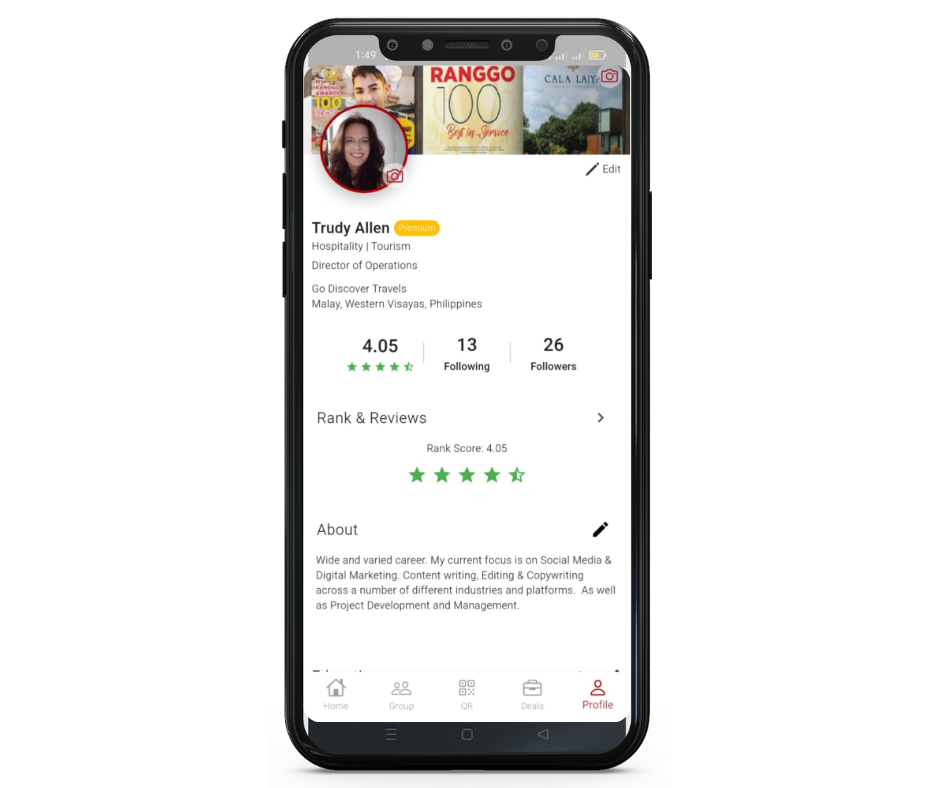
You can view the Rank and the Feedback in more detail by clicking on the arrow next to Rank & Reviews.
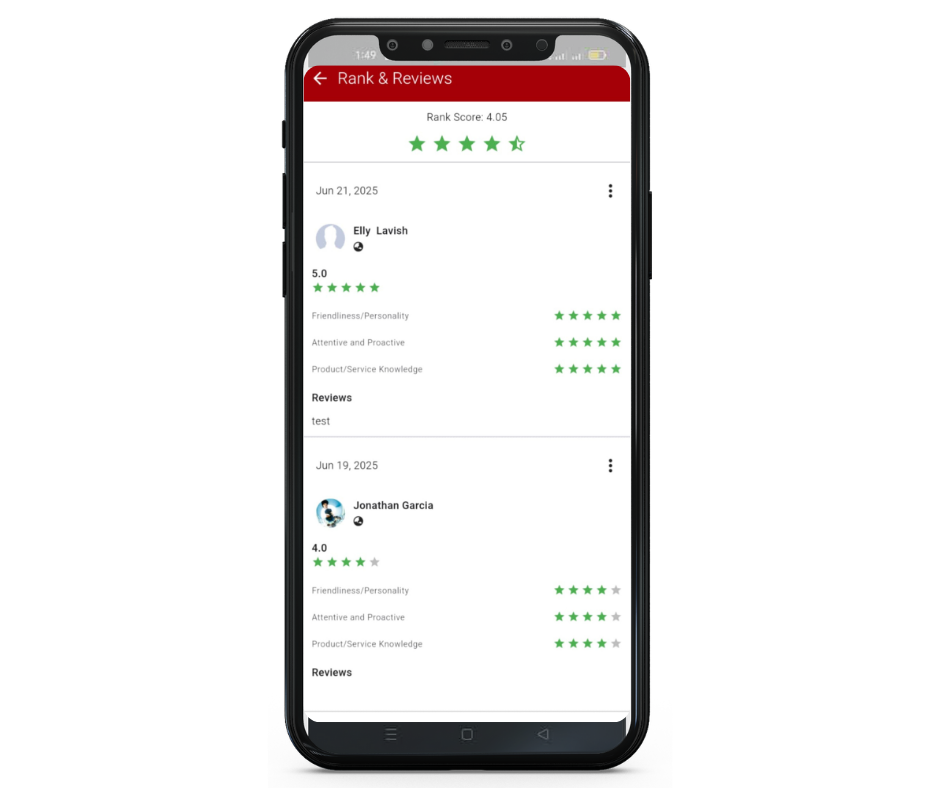
The star system also informs the ranking feature of RANGGO, which is front and center on the Home Page of the App, highlighting the top rated businesses and employees.
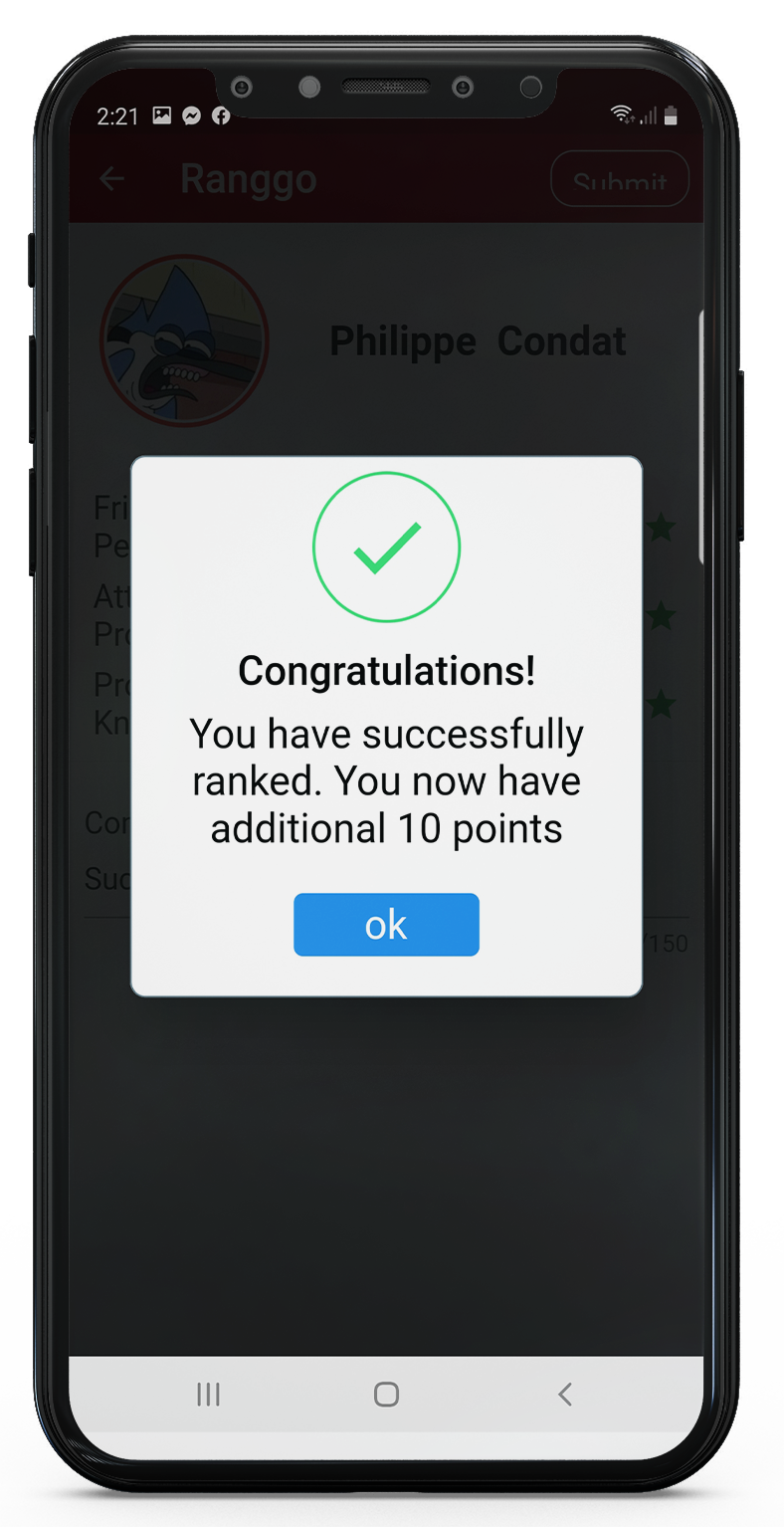
Added Incentives: RANGGO subscribers are awarded 10 points each time they leaves a review for a business or individual. These points can be used to elevate a RANGGO account to a Premium Account which can unlock training modules in the Resources section or exclusive, premium Loyalty Deals .
How to use RANGGO Rank:
The quickest way to RANGGO Rank a person – or business – is to scan their RANGGO QR Code. This will automatically open to the Feedback page (see Step 4 below).
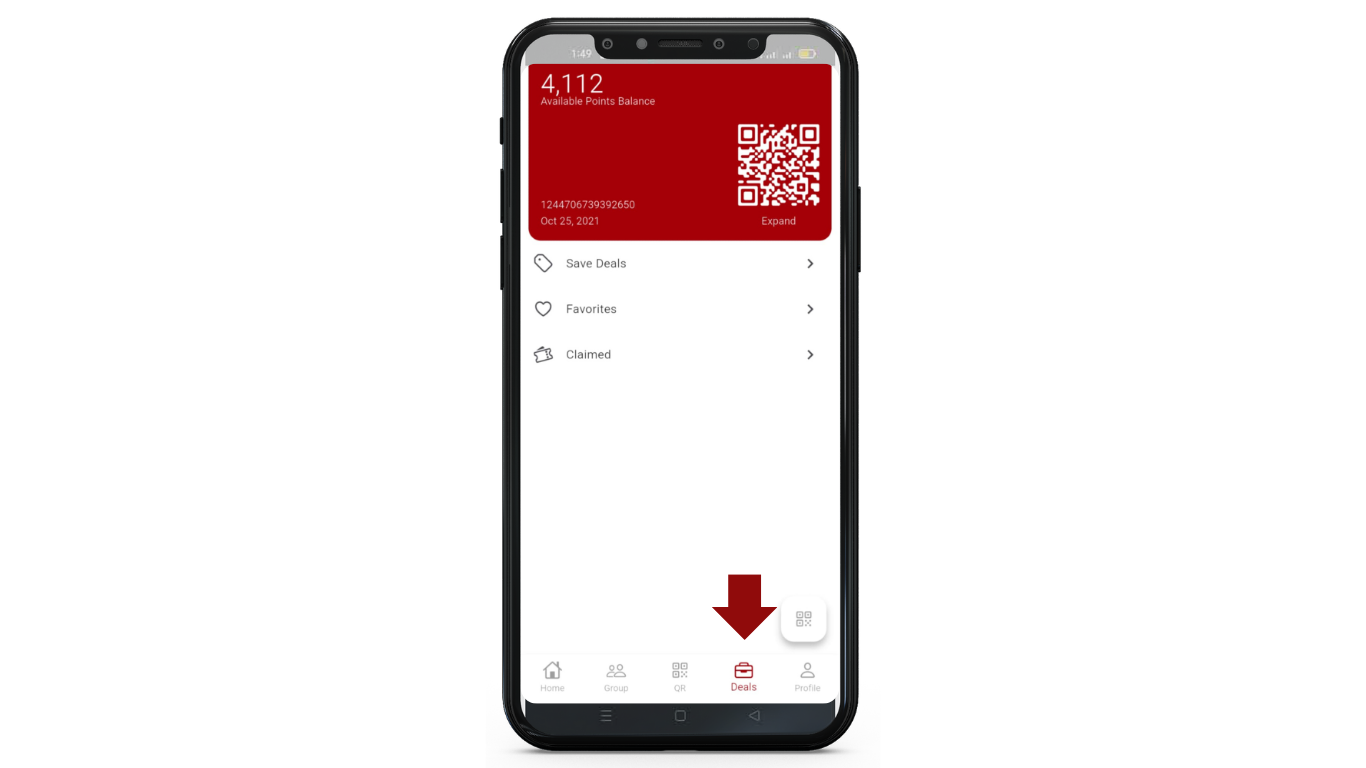
You can find your QR Code by clicking on the Deals icon at the bottom of the App page. The person wanting to RANGGO Rank you just scans the QR Code at the top of the screen.
But if you are not with the person, or at the business, you want to review …
- Sign in to the RANGGO App.
- On the Home Page select RANGGO Rank.
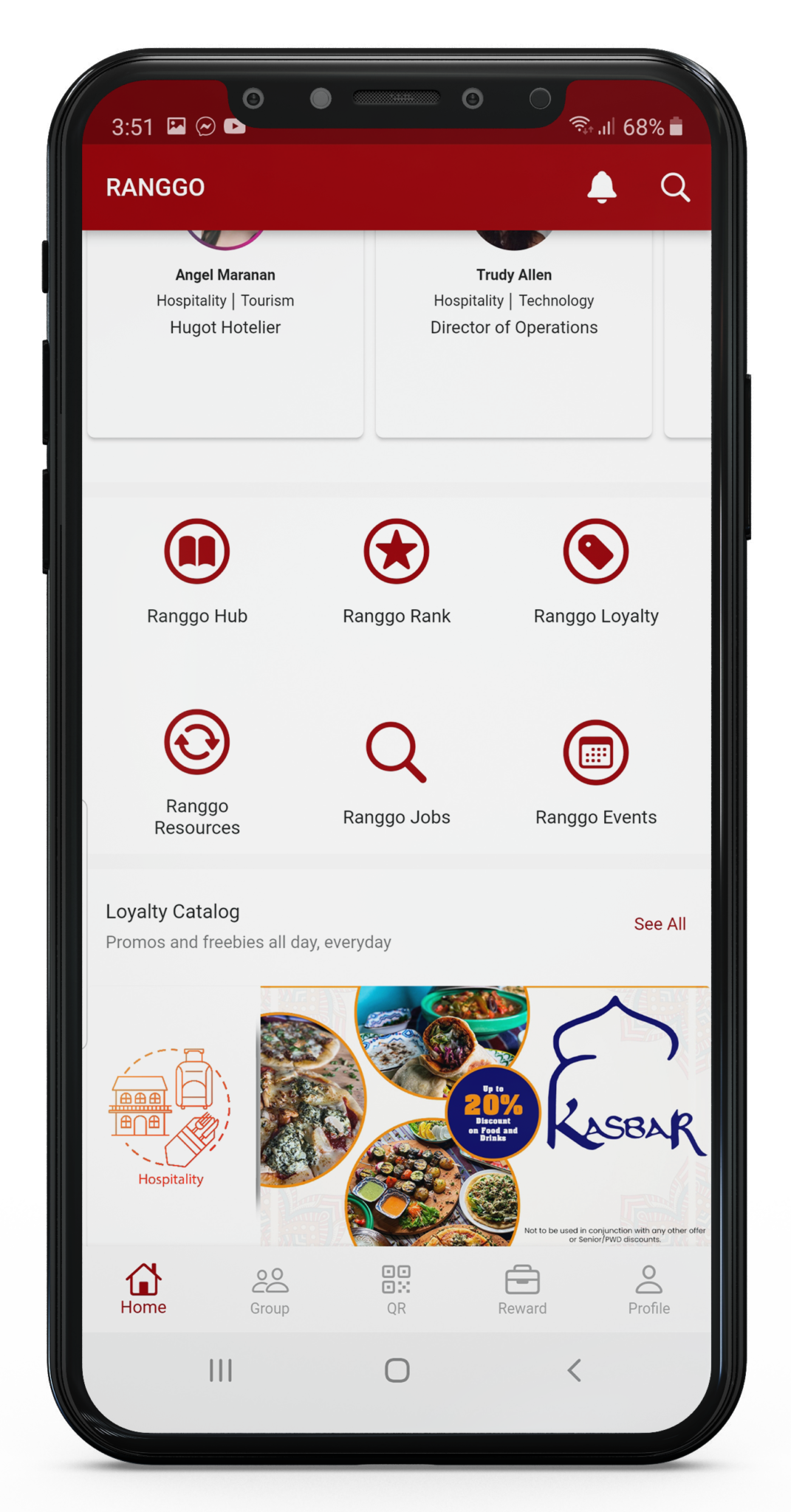
Once you open RANGGO Rank you will see that there are several categories for Industry and sectors. You will also see who is Ranking in first place in those categories.
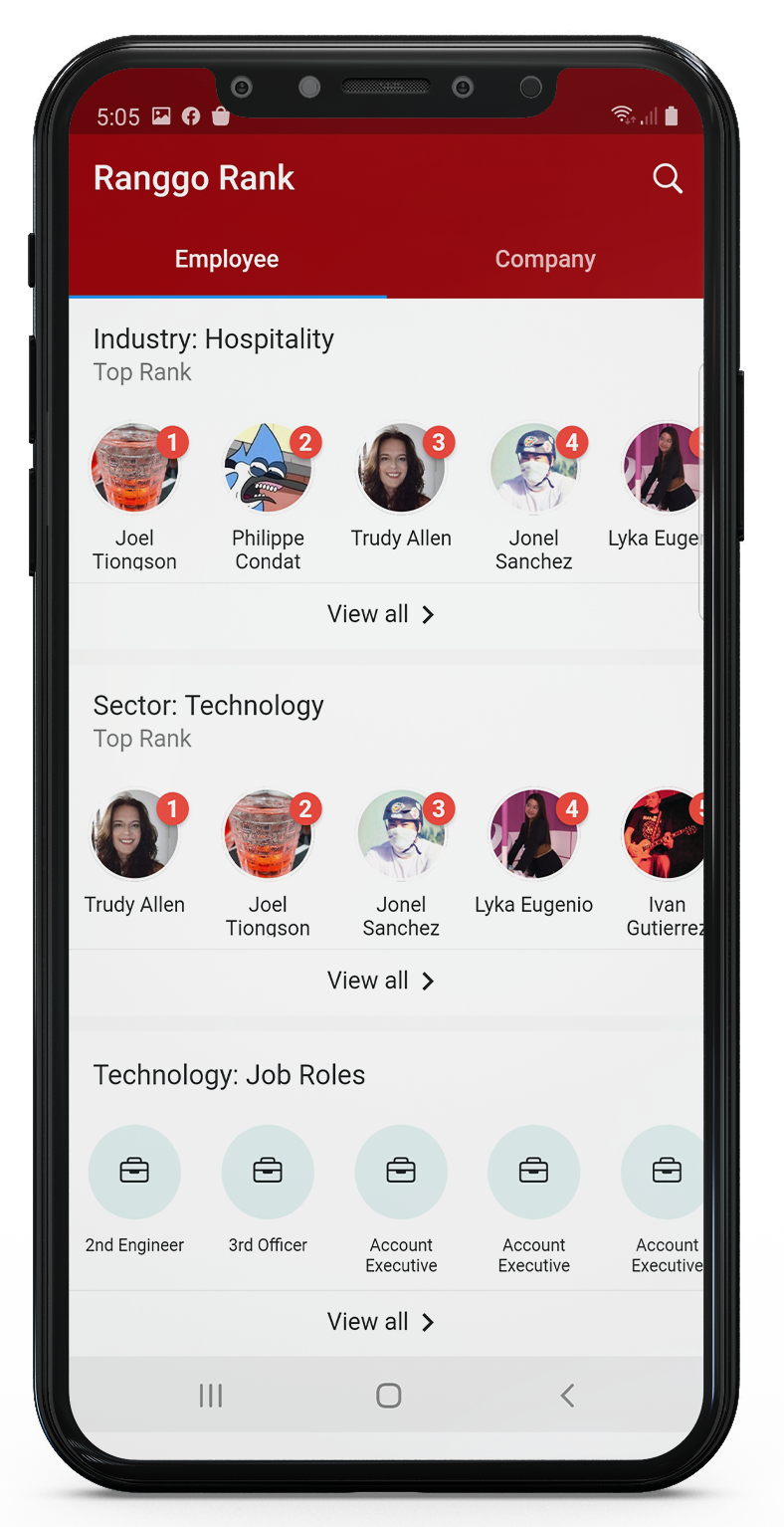
3. Use the Search Function and search by their name. Or you can search by Industry, Sector or Job Role.
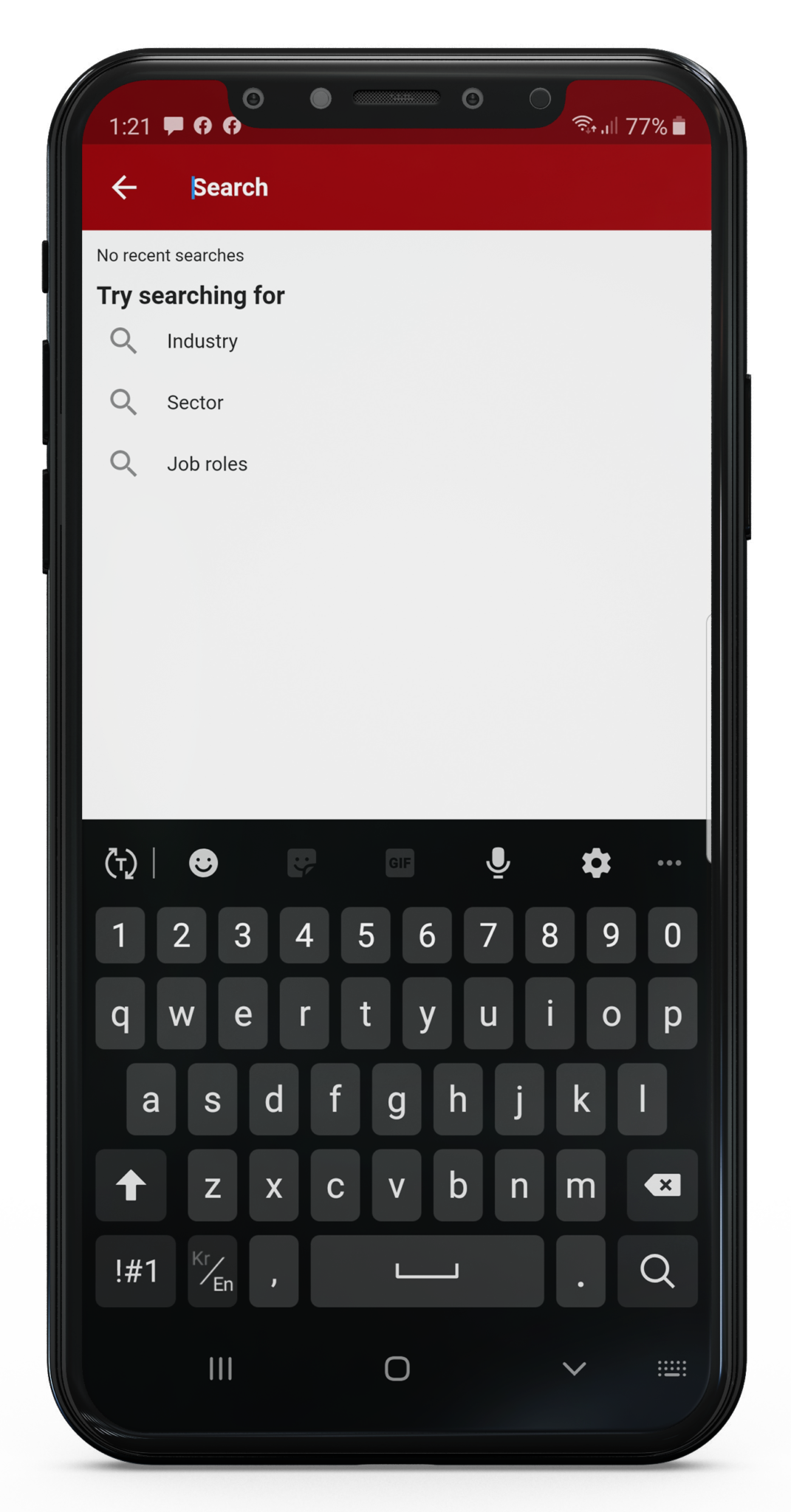
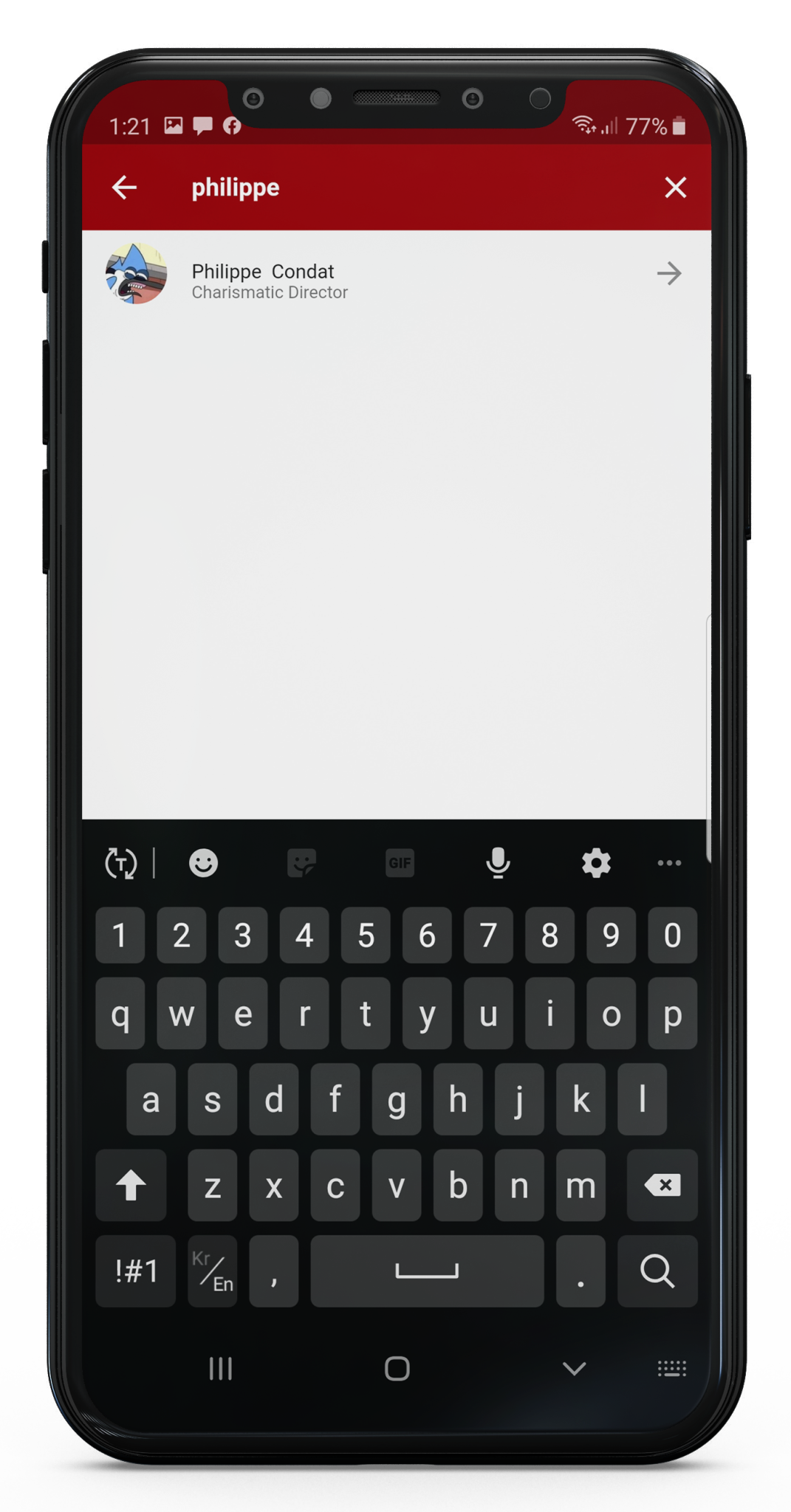
4. Once you have selected the person or business you want to RANGGO Rank their Profile will come up and there is a red button “Ranggo me” click on that. (The image below is when you are ranking a person).
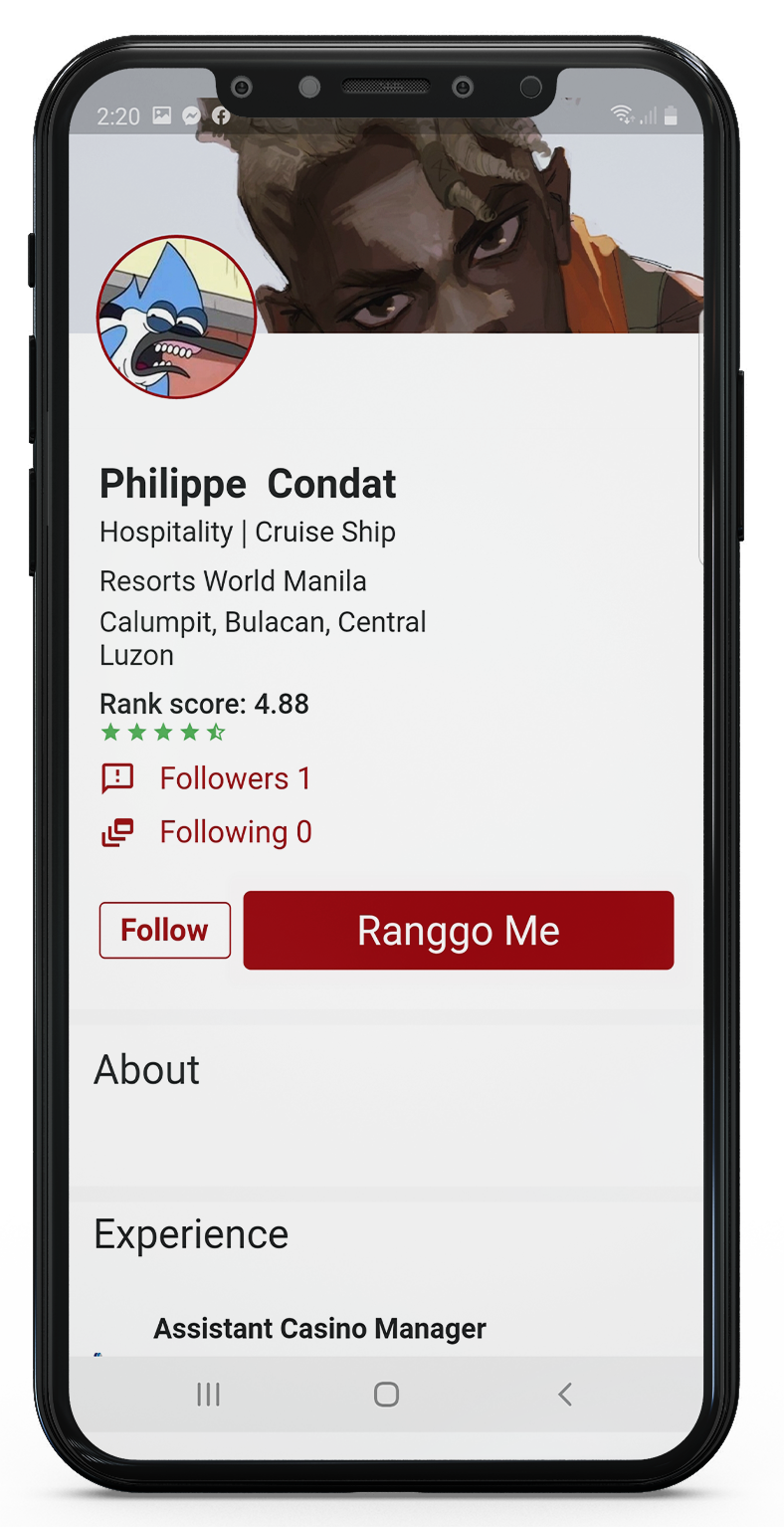
5. Before you Rank them you can also select ‘Follow’. If you select ‘Follow’ you will see their posts in the RANGGO social Hub – just like Facebook!
There are three RANGGO RANK categories. You can award 1-5 Stars in each category. You can also leave a comment of 150 characters if you want to say a little more about the person.
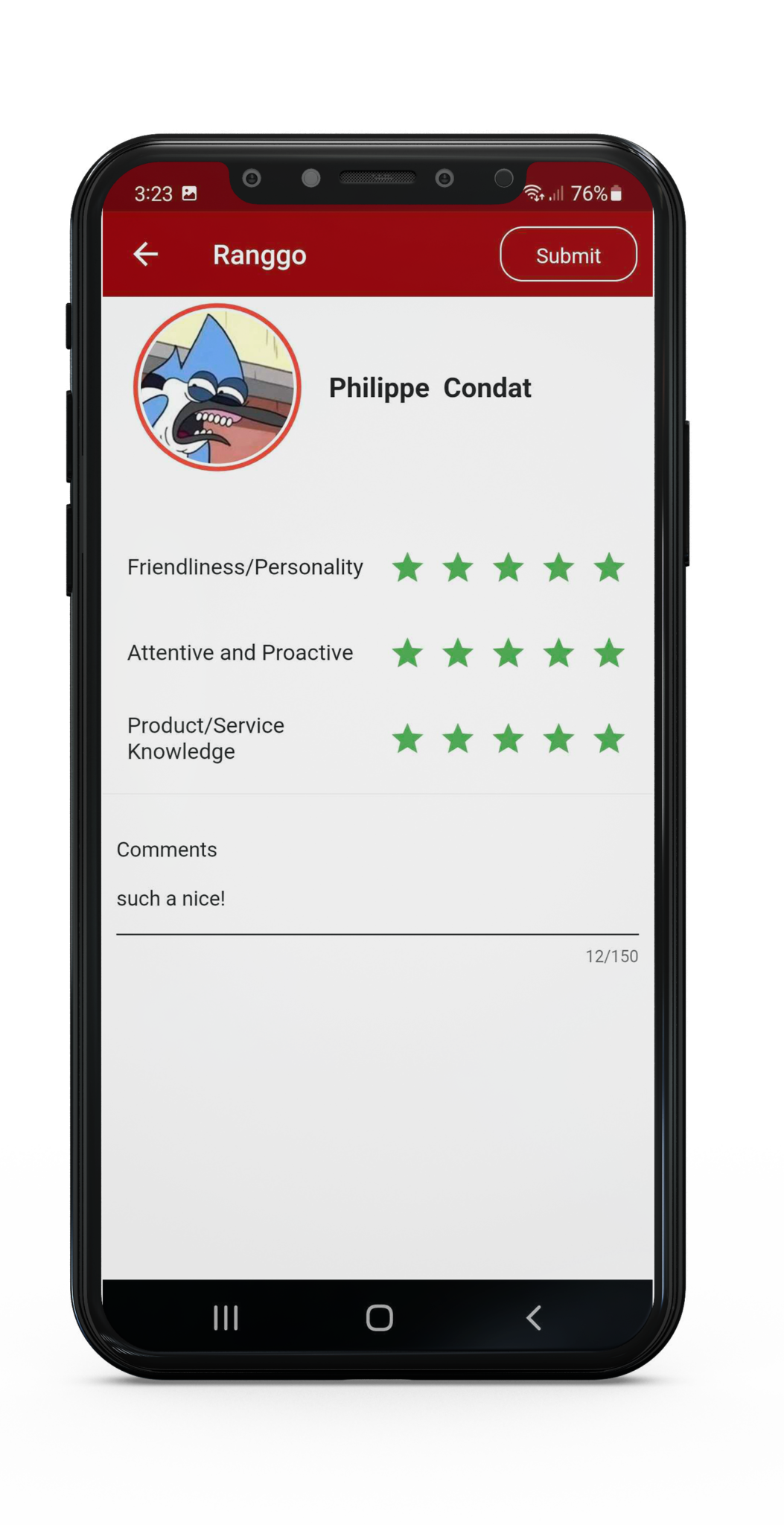
6. Once you have completed your ranking, select Submit. You can find Submit at the top of the screen. You will receive 10 points to your profile account.
Not subscribed yet? You can download the App via Apple or Google Play Stores. Follow our guides for signing up as a Business or Employee/Guest User